The editor knows your code.
Aperture runs the TypeScript compiler in your browser tab, the same one that checks every change before you apply it. It loads the first time you type in a file. Nothing is installed and nothing is sent anywhere.
Try it on the demo project →- ( and ,
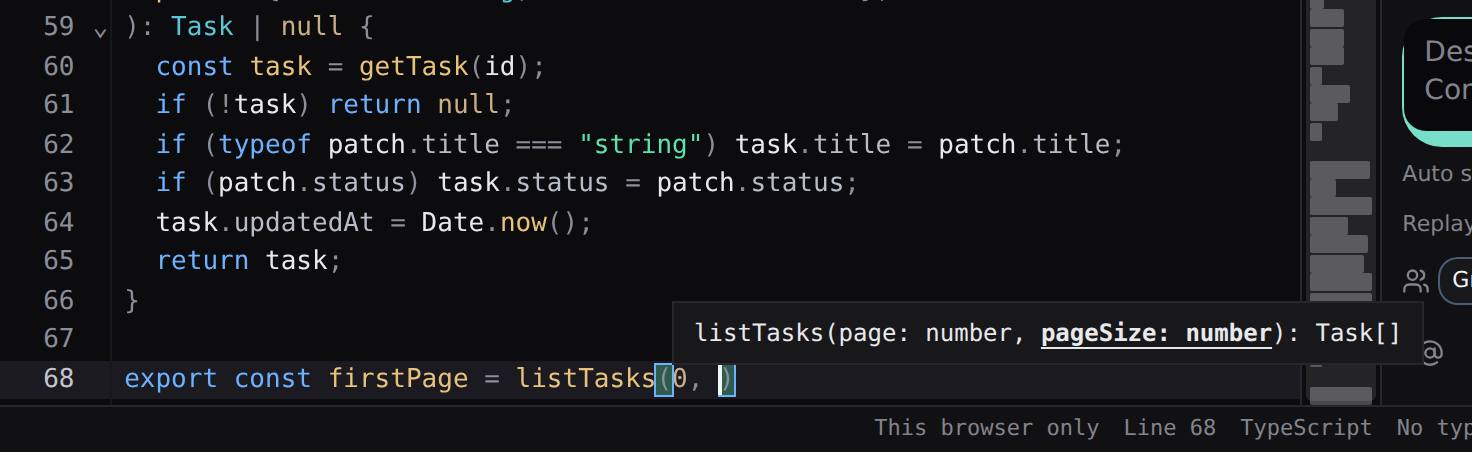
Parameter hints
Inside a call, the function's parameters sit above it, with the one you are typing underlined.
- Shift+F12
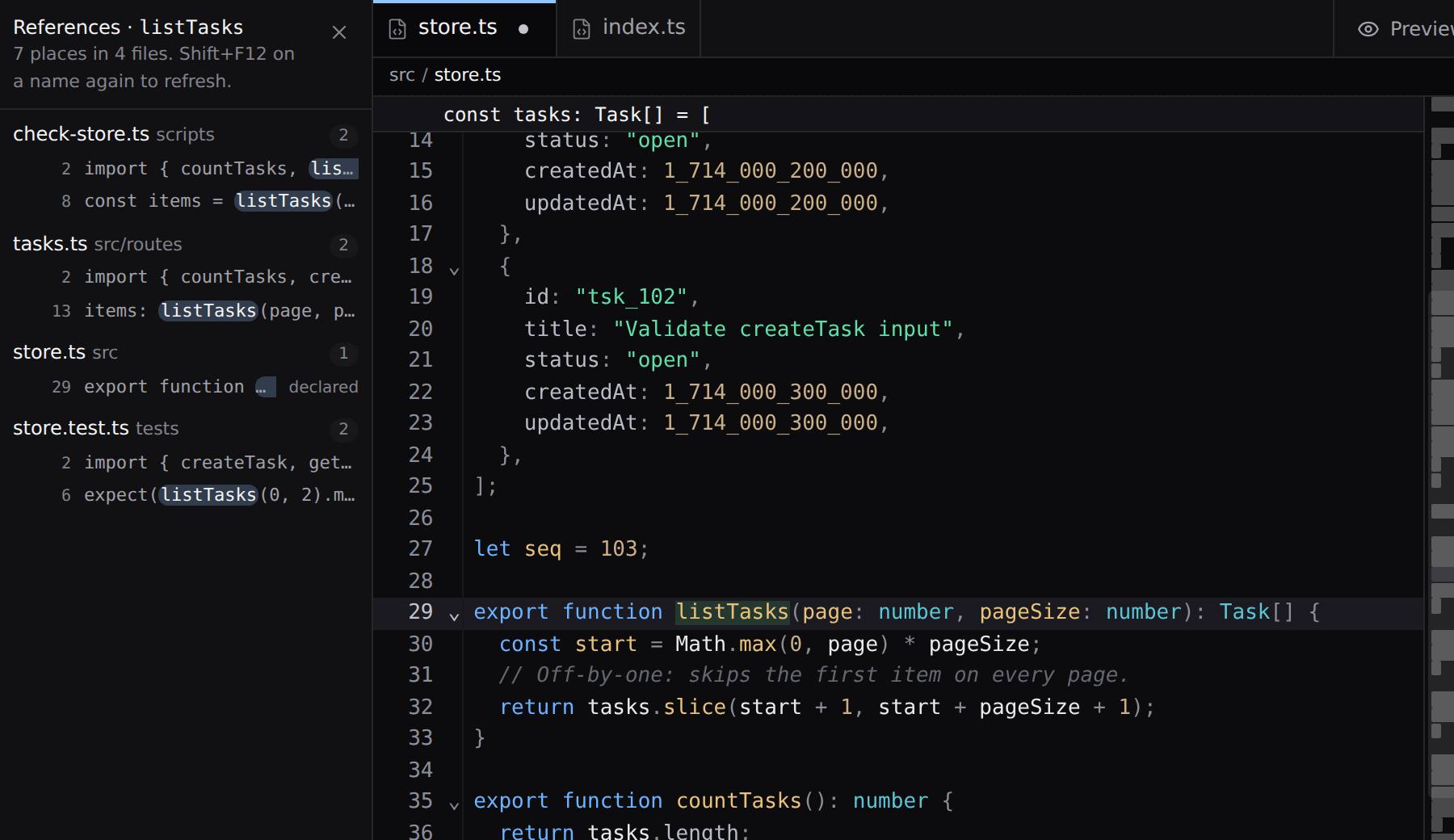
Every reference
Every place a name is declared or used, by file, in the sidebar. A row opens the file there.
- Ctrl/⌘+Shift+M
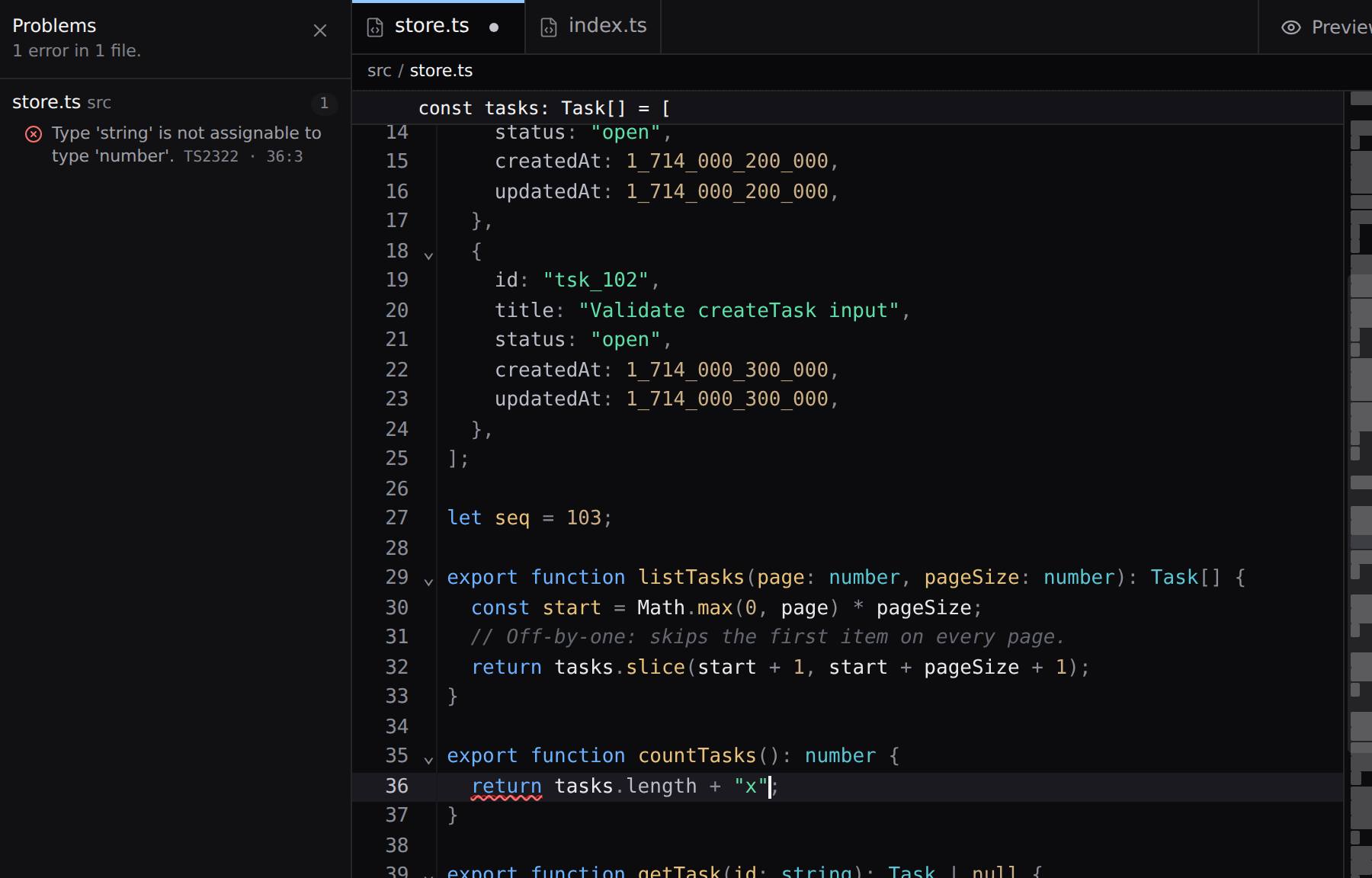
Problems in the whole project
Every type error in every file, checked again as you edit. A row opens the file at the error.
- Hover
Types on hover
Rest on a name to see its type and its doc comment.
- Typing
Completions that know the types
After a dot, only what that value has. Imports and names from every file.
- F12
Go to definition
F12 or Ctrl/⌘+click opens the file where a name is declared, at the line.
- Ctrl/⌘+P, then #
Go to any symbol
Type # and part of a name: every function, class, type and constant in the project that fits, with its file. Enter opens it at the line.
- F2
Rename everywhere
Every use, in every file, in one step. Comments and strings keep the old name. One Undo puts it back.
- As you type
Type errors, live
Errors are underlined a moment after you stop typing, and the status bar counts them.
- Ctrl/⌘+.
Quick fixes
TypeScript's own fixes, such as adding a missing import, written with one Undo.
- Ctrl/⌘+Shift+R
Refactor
Extract the selection to a function or a constant, move code to a new file, convert an arrow function, and TypeScript's other refactors. One Undo puts it back.
- ✎ in the file tree
Move a file, keep its imports
Rename a file or move it to another folder, and every import of it is rewritten, the file's own included. One Undo puts it back.
- Shift+Alt+O
Organize imports
Drops the imports nothing uses and sorts the rest.
The same compiler checks the model.
When the model proposes a change, Types runs this compiler on it before you can press Apply, and the agent can ask it where a name is used before it changes one.
What the checks catch →